


All your medical records in one place
Records, labs, insurance and past visits behind one login, so nothing lives in a folder at home or in a portal you forgot the password to.
Where it wentBecame the structural layer, Lively.
Passion Project
2021 to present · Latest redesign Dec 2025
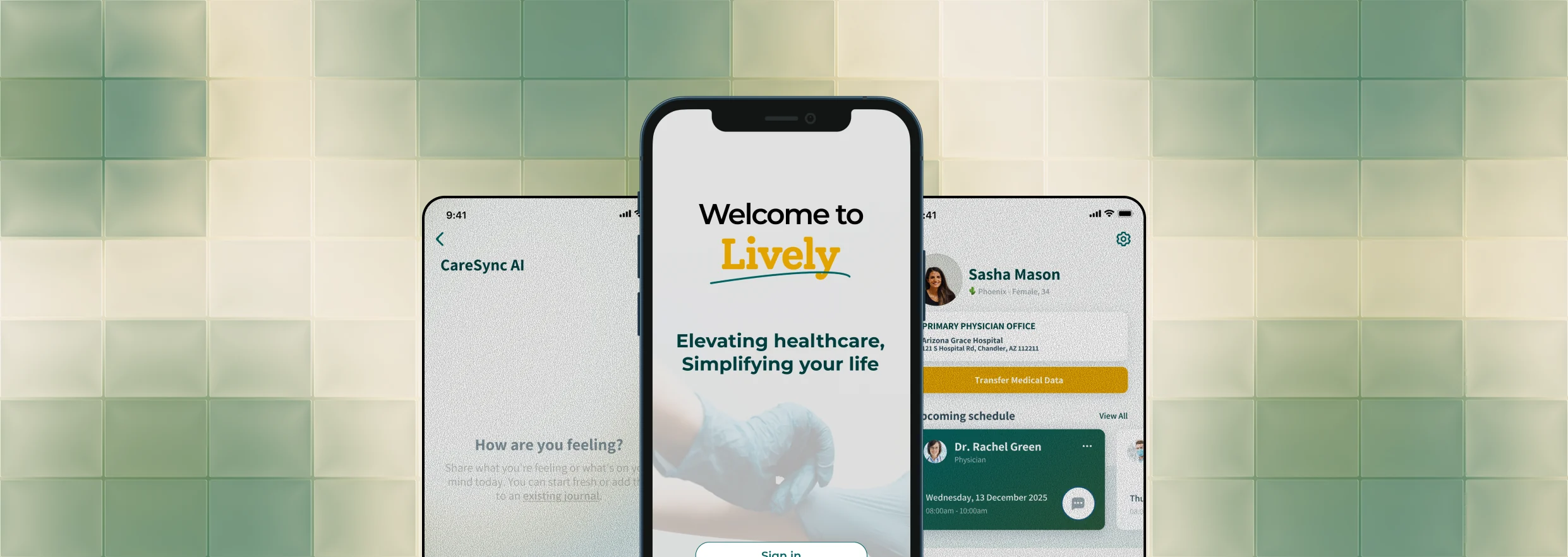
Lively is a patient health app with an AI journaling companion that turns messy symptom notes into doctor-ready summaries.
THE PROBLEM
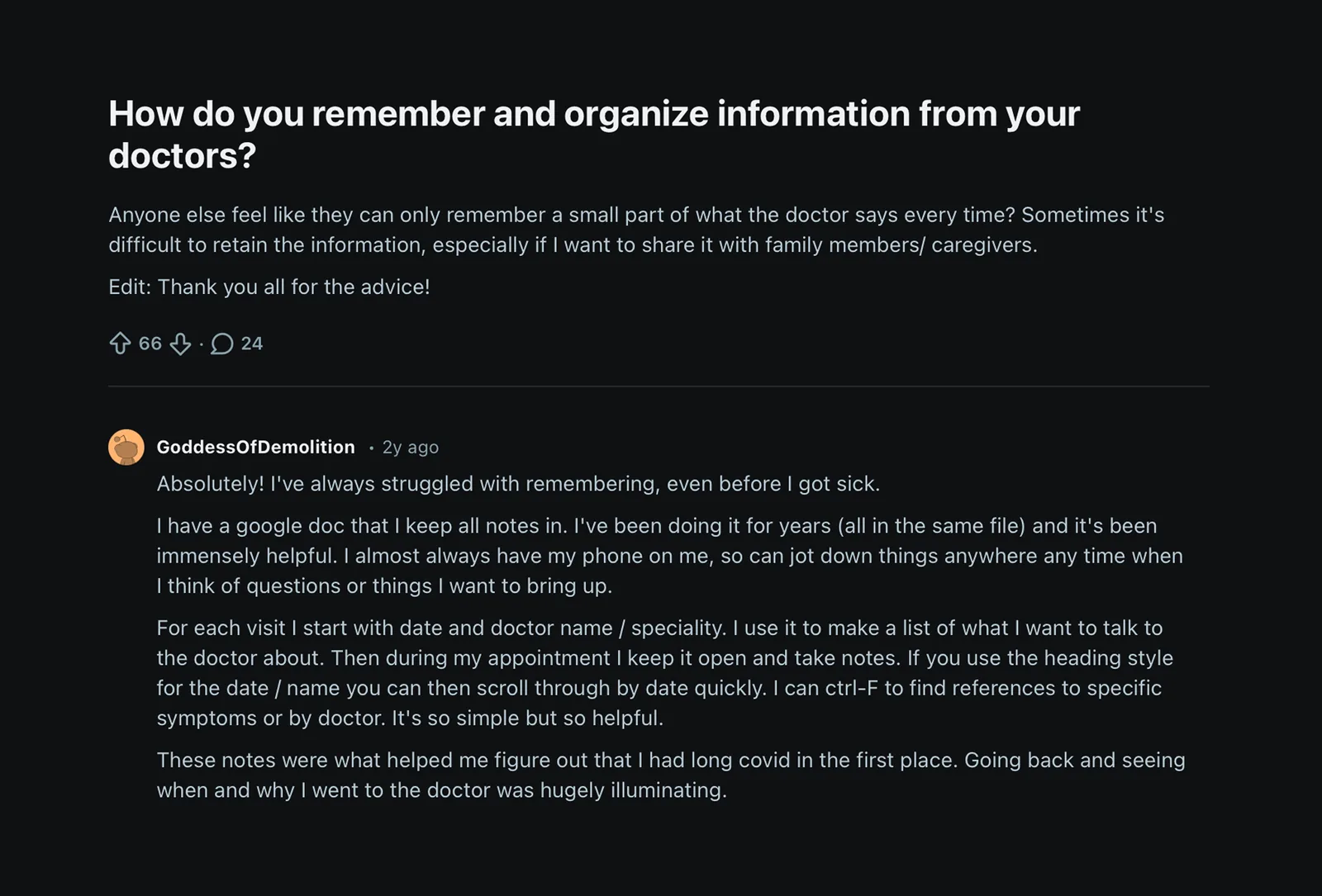
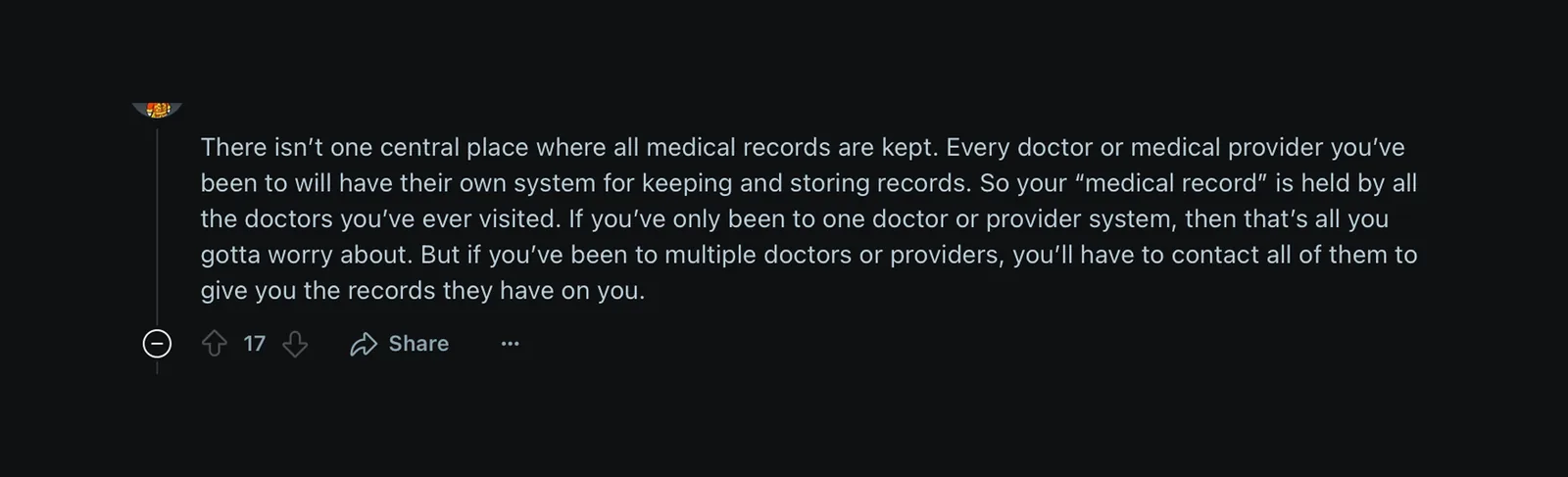
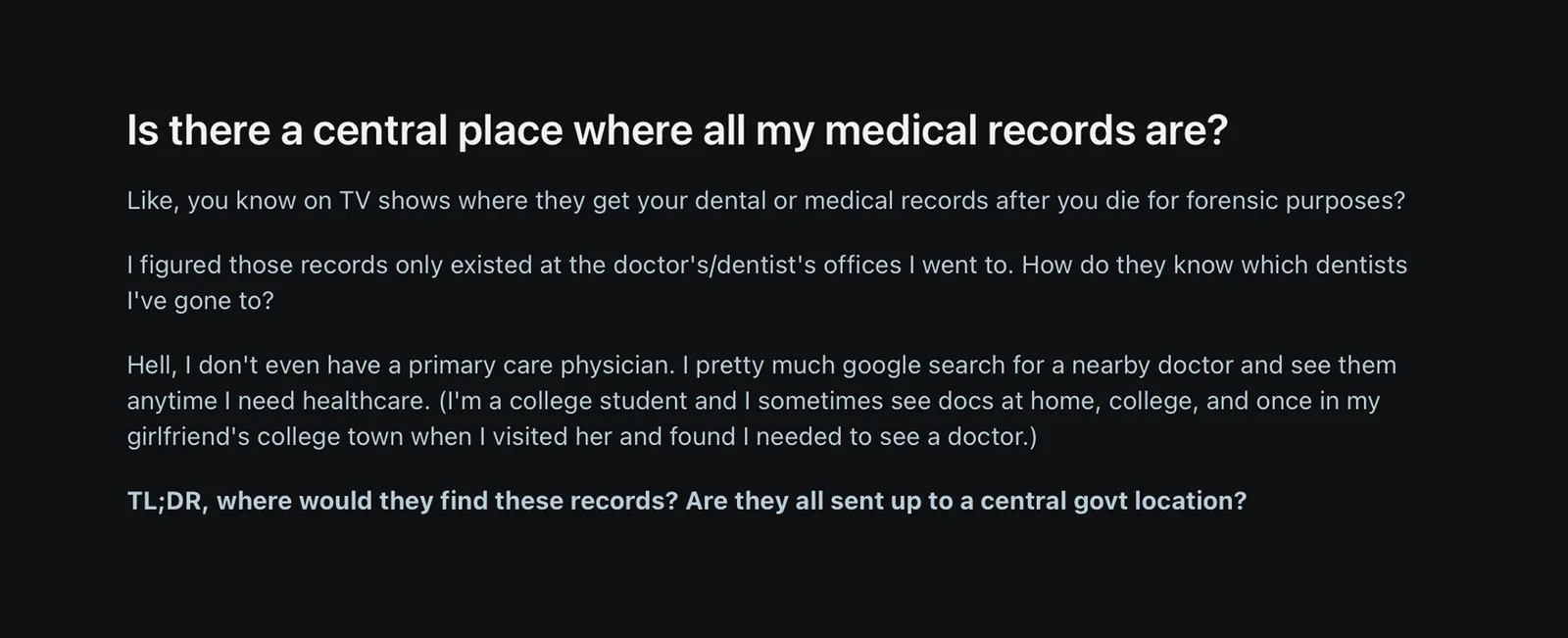
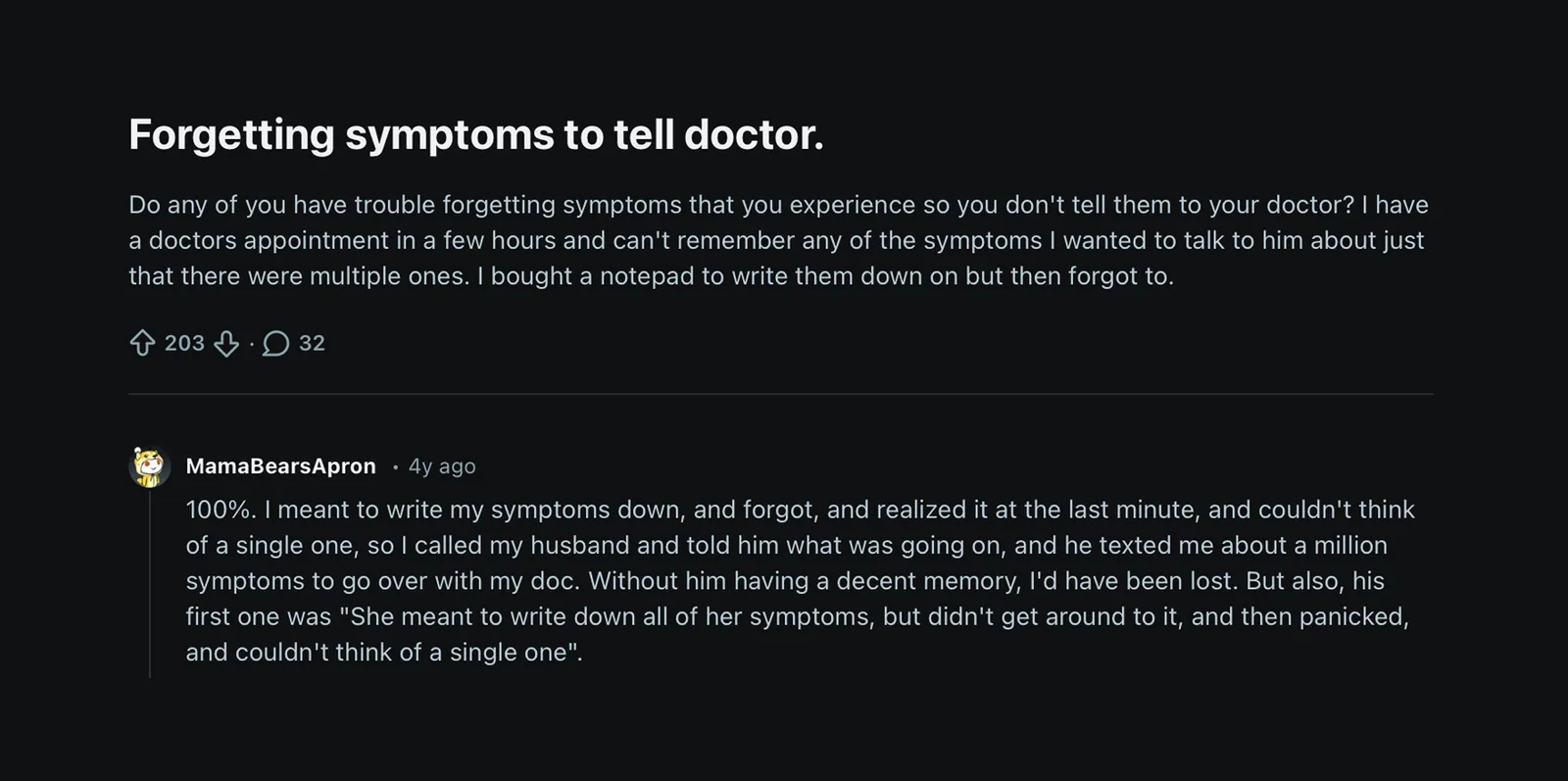
Because remembering is hard when you're the one hurting. Symptoms shift, worries blur together, and by the time the appointment finally happens, the mind goes blank. Here's how people describe it themselves.


PROTOTYPE
Things to try
THE EVOLUTION
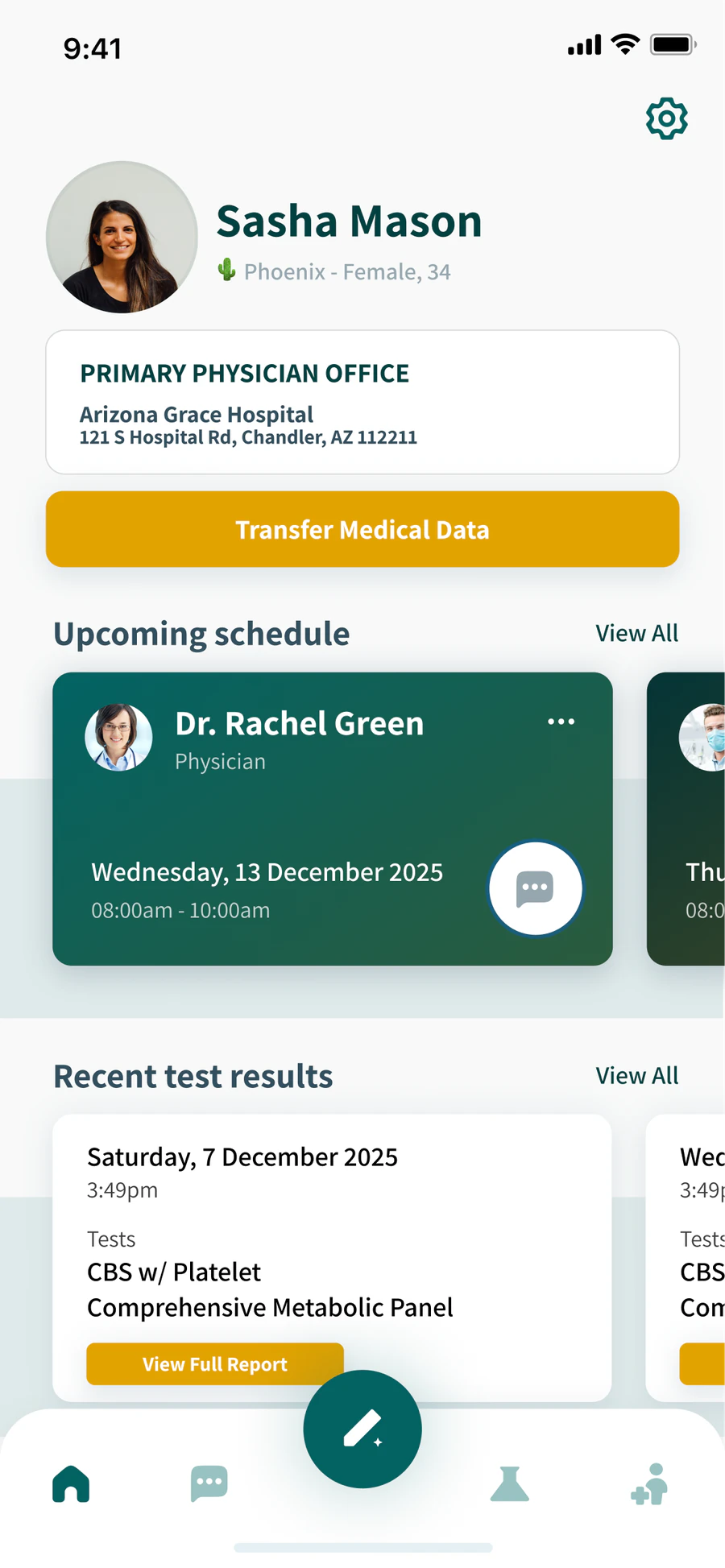
This didn't start as a symptom app. In 2021, in my last semester of undergrad and a few months after switching from pre-med to design, I built ForHealth: records, results, appointments and messaging your doctor, all in one place. That was the whole idea. Every year since, I've rebuilt it with whatever I'd learned. The 2025 version added CareSync AI, because once everything was in one place, the problem that was left was remembering what to say. The full evolution, with what I changed and why at each stage, is in the Figma file.
click back to see where it started
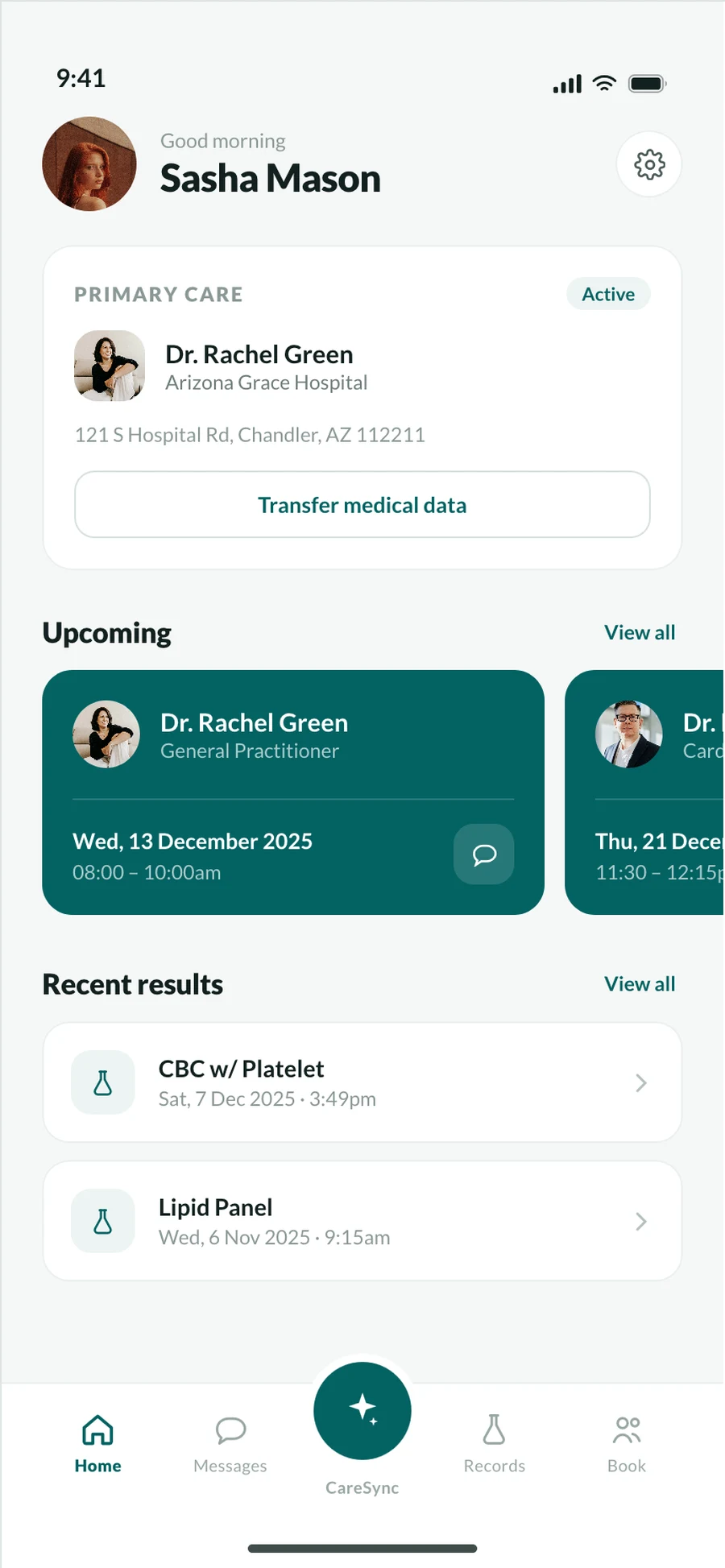
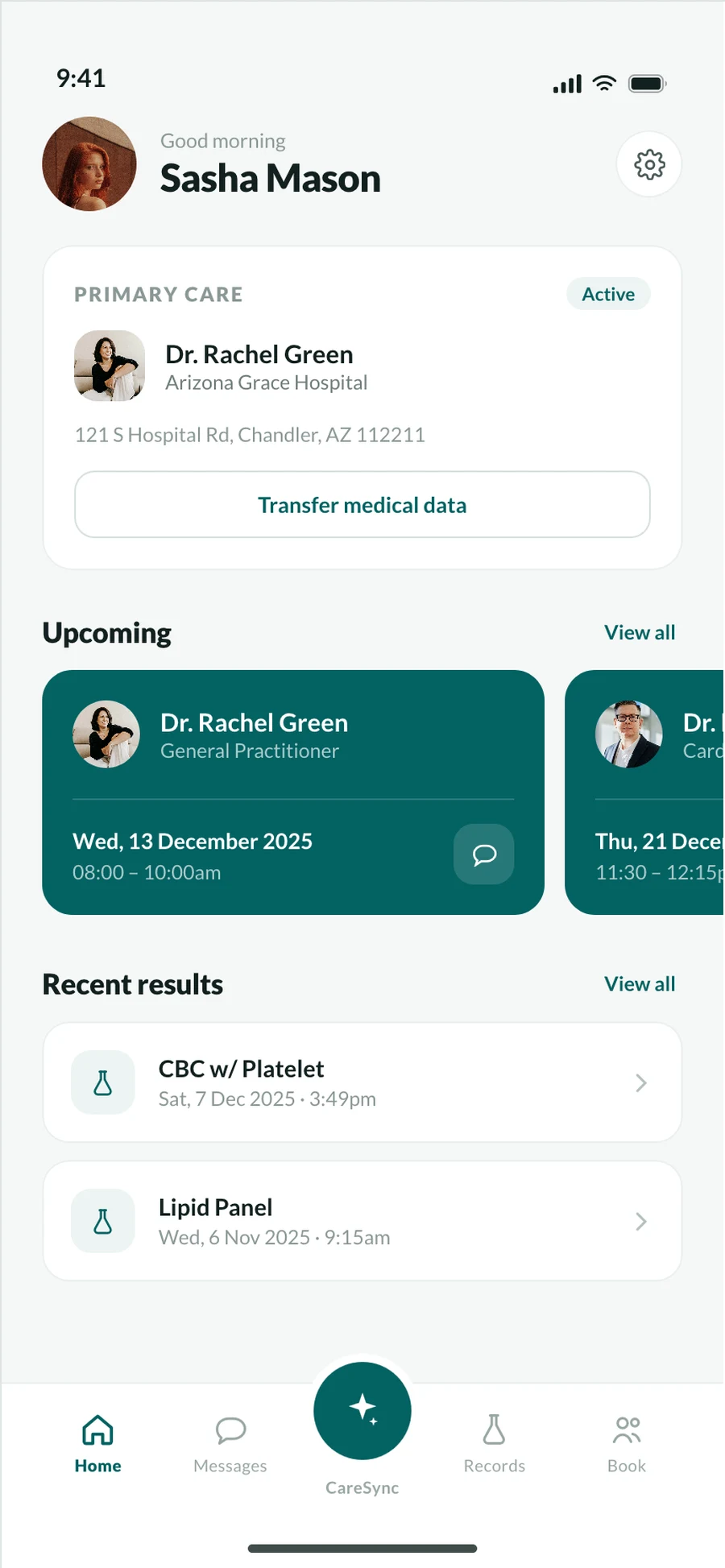
The same screen, quieter. Your doctor leads the top card, results became a simple list, and the nav labels came back. The aesthetic got calmer and cleaner too: the yellow is gone, deep green is the only accent, and white cards with thinner icons give everything more space.
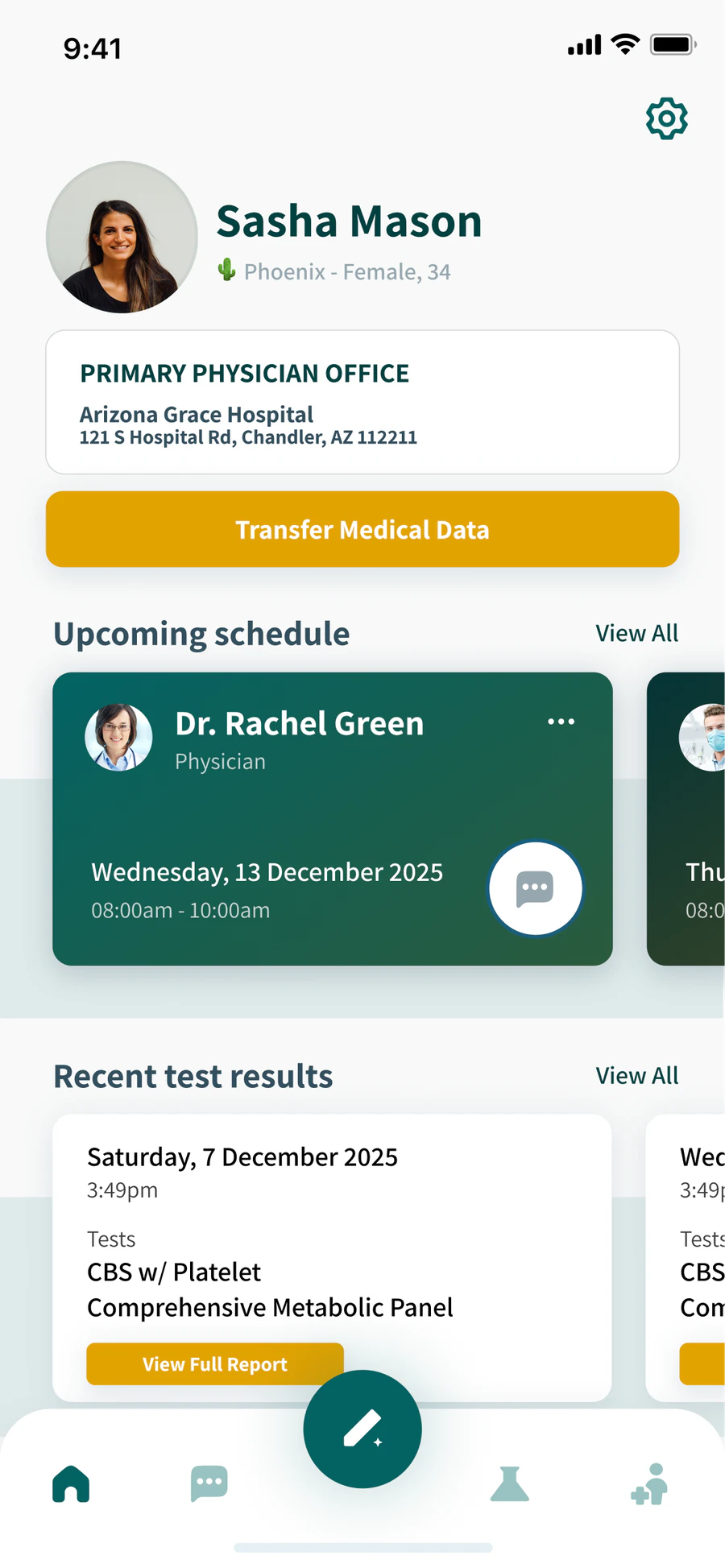
It became Lively. Deep green, swipeable cards for appointments and results, and CareSync AI in the middle of the nav for when your mind goes blank.
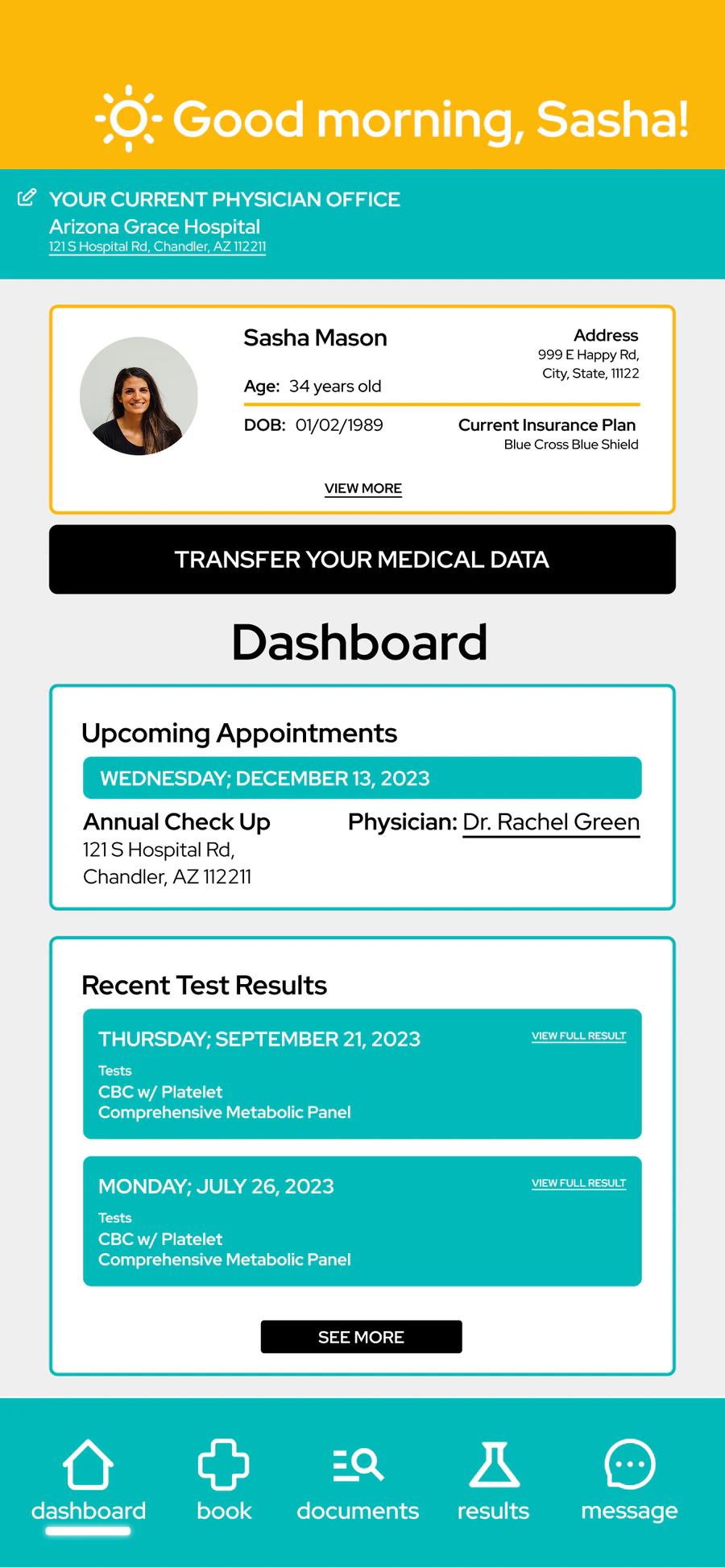
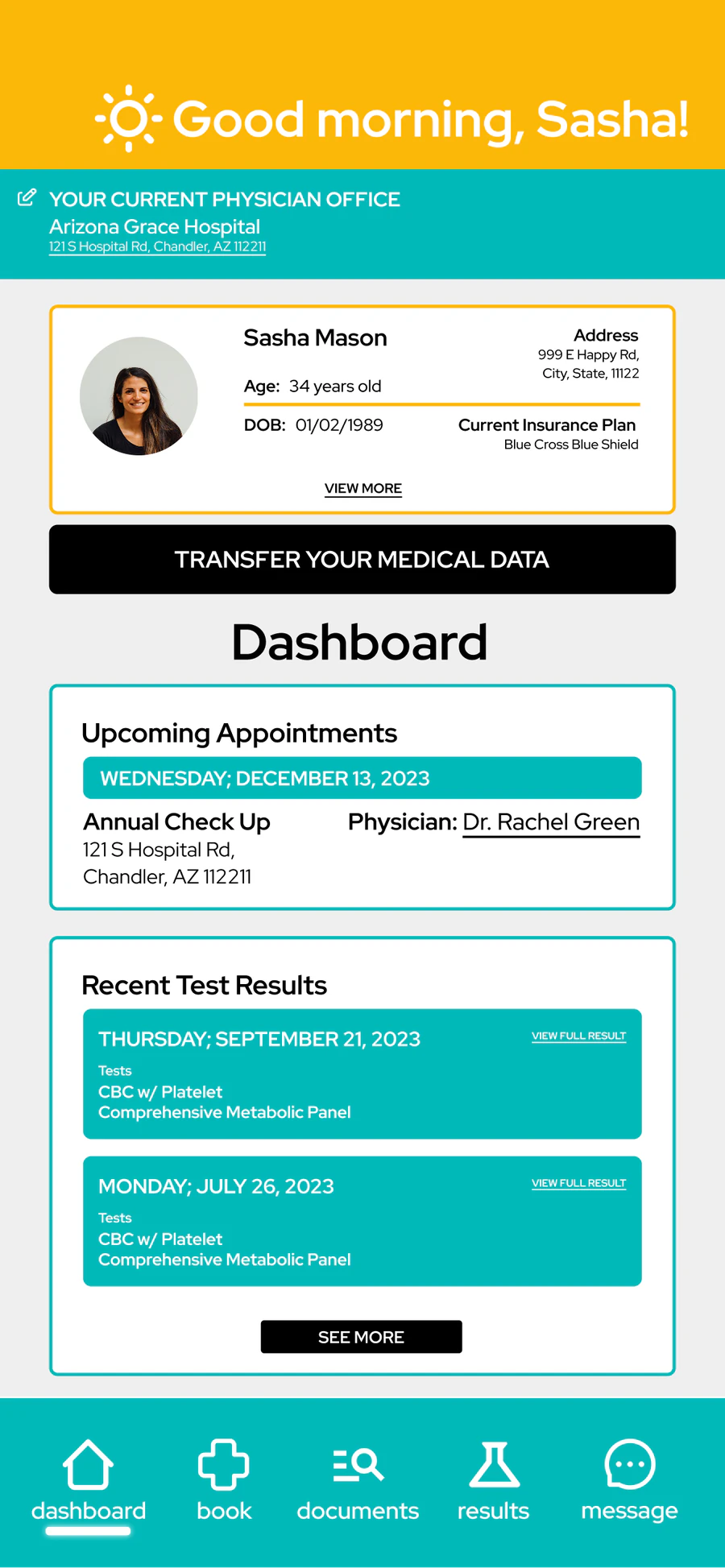
Big jump. The buttons went away and the home screen started doing work: your doctor, next appointment and latest results right there, plus a way to message them. First real color palette too, and yes, the yellow stuck around.
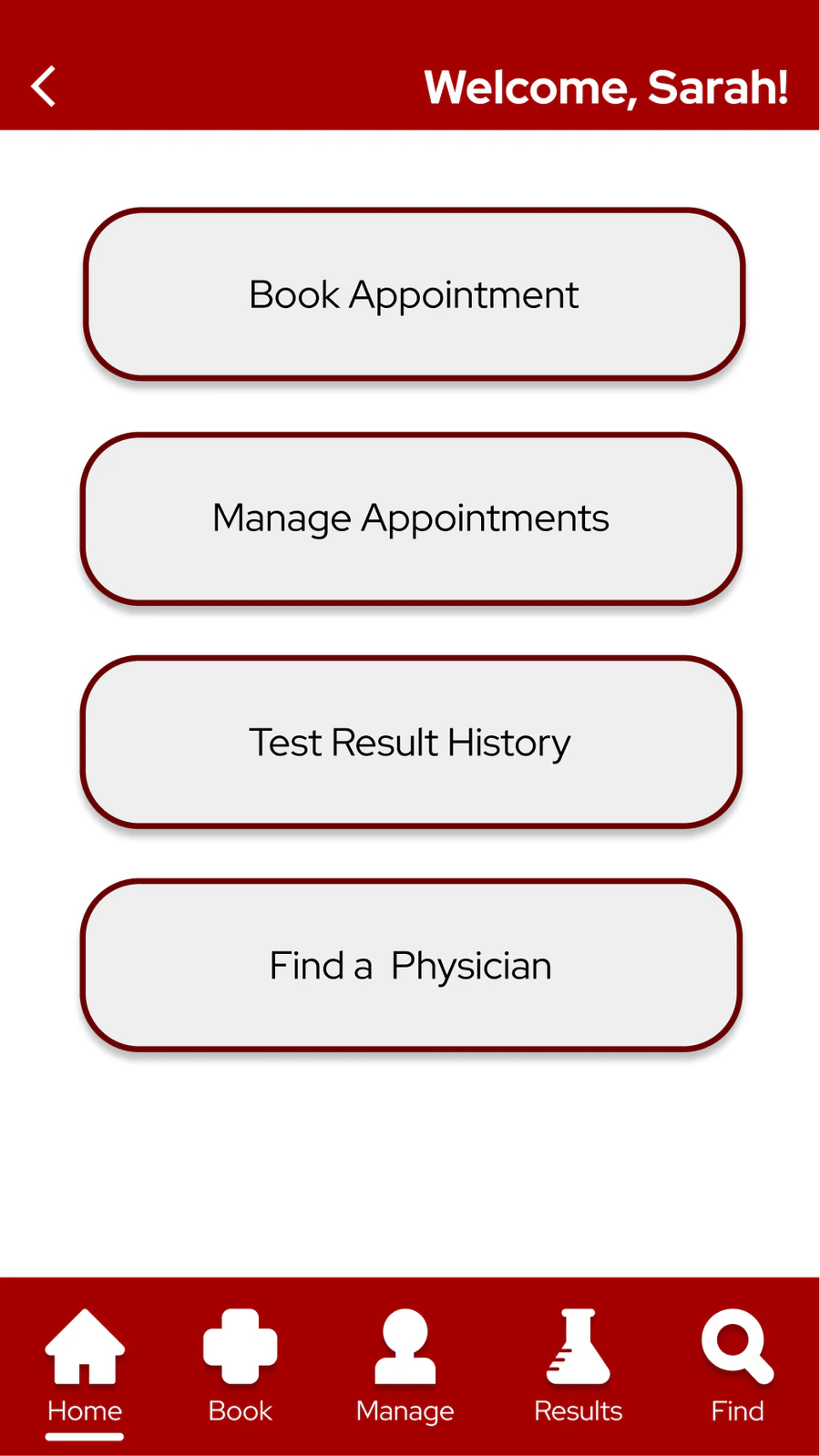
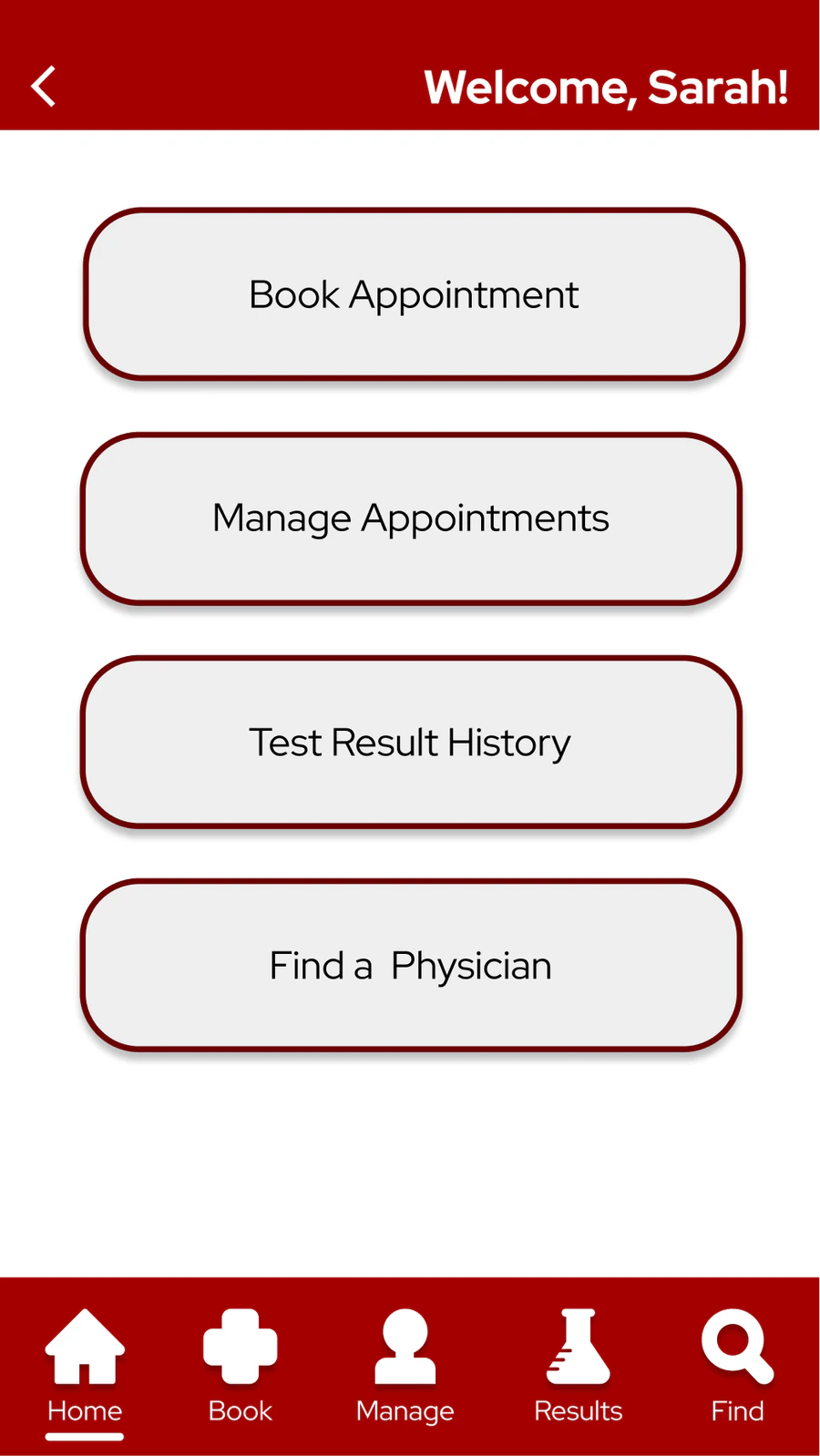
Still the menu, still red, but now it greets you by name and the bottom nav got labels and a Home tab. First time I thought about how someone moves through an app, not just what's in it.
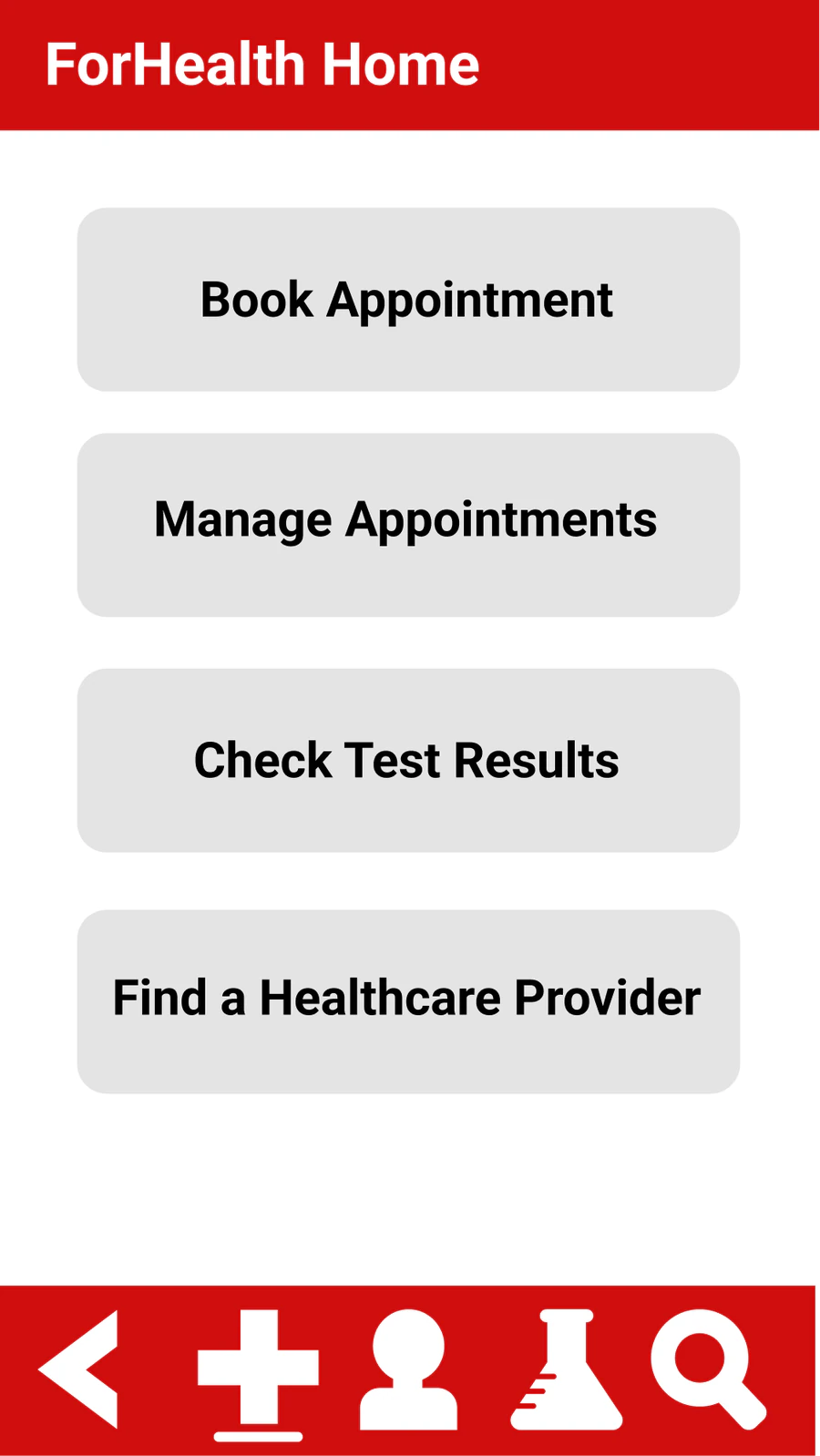
Four big buttons and an icon bar with no labels. I wanted it so obvious you'd never have to learn it, because when you're sick, an app shouldn't be one more thing to figure out.
INSIGHTS
Uncertain sensations
that shift before you can pin them down
Interrupted narratives
flare-ups come and go, gaps you can't explain later
Weeks of waiting
anxiety builds faster than answers
Fragments of language
nothing feels medical enough
The appointment
and the mind goes blank
Symptom trackers don't have room for any of this. Neither does the healthcare system. But this is what being sick actually feels like.
EXPLORATION
Three ways in, sketched before any screens. None of them survived on its own, and all three are in the final app.
Records, labs, insurance and past visits behind one login, so nothing lives in a folder at home or in a portal you forgot the password to.
Where it wentBecame the structural layer, Lively.
Booking and messaging for your whole care team in one thread, with the emergency line at the top.
Where it wentFolded into Book and Messages.
Symptom notes over time that turn into questions for the appointment, so you walk in with something to say.
Where it wentGrew into CareSync AI.
TESTING
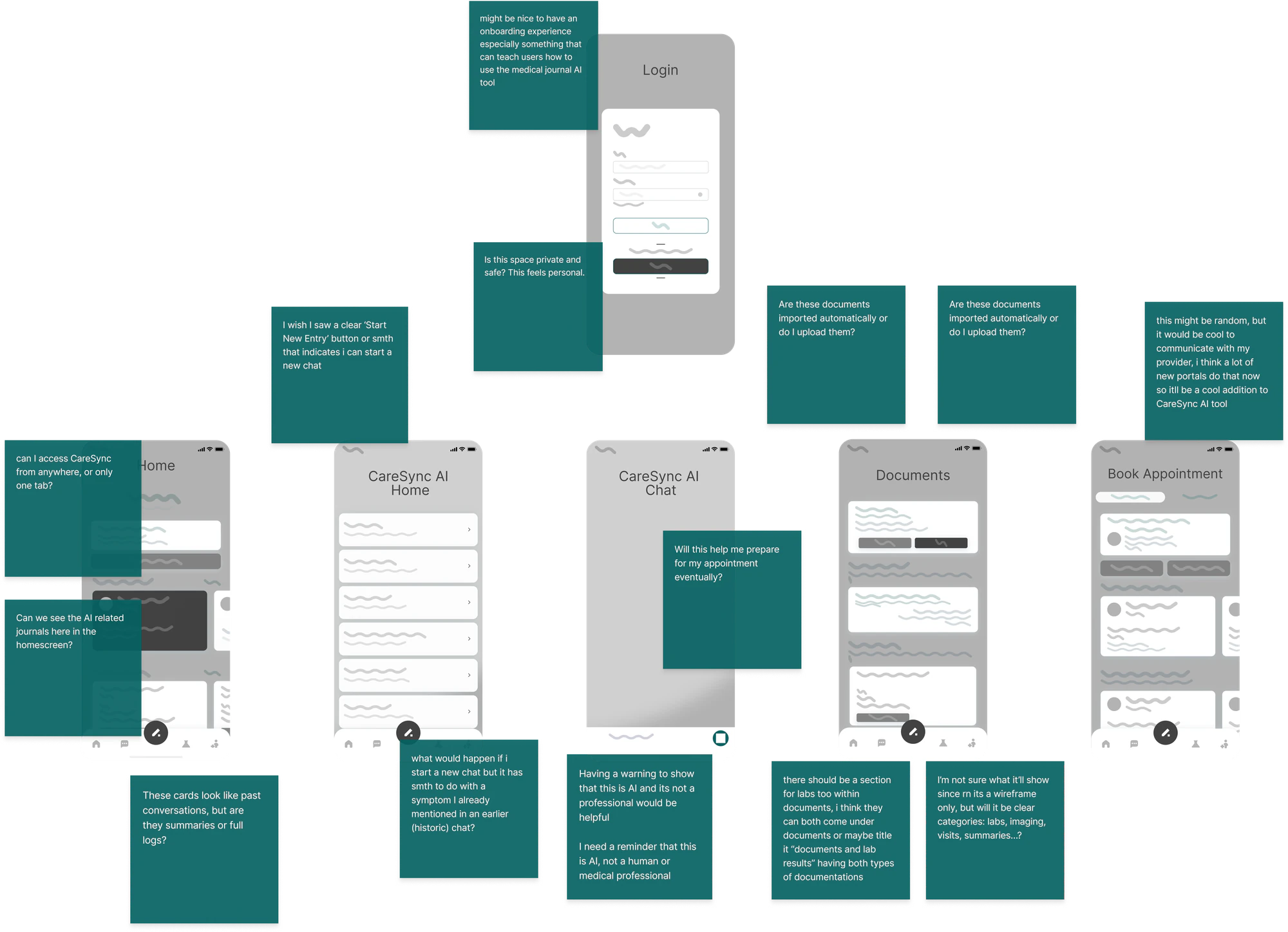
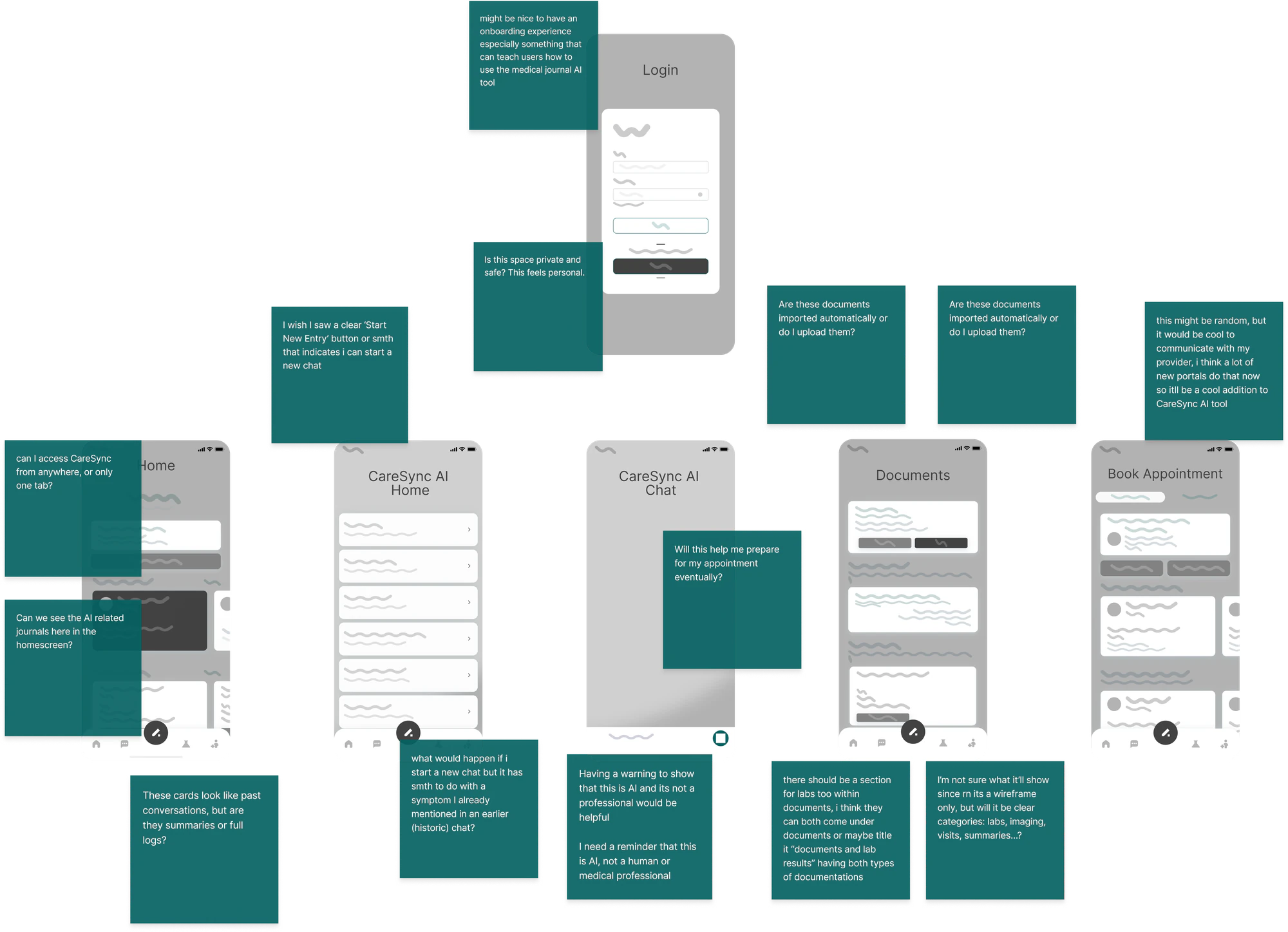
I ran a cognitive walkthrough with someone diagnosed with PCOS, stepping through
each lo-fi screen together. Their reactions revealed key emotional gaps.
THE SOLUTION
Your entire medical world in one place
Calm and easy to read, with nothing to hunt for when you feel unwell.
A place to think out loud
Describe sensations in your own words
Unpack the worries underneath
Journal a flare-up
Understand the pattern
Prepare questions for your doctor
It doesn't diagnose anything, it just helps you understand what's going on over time.
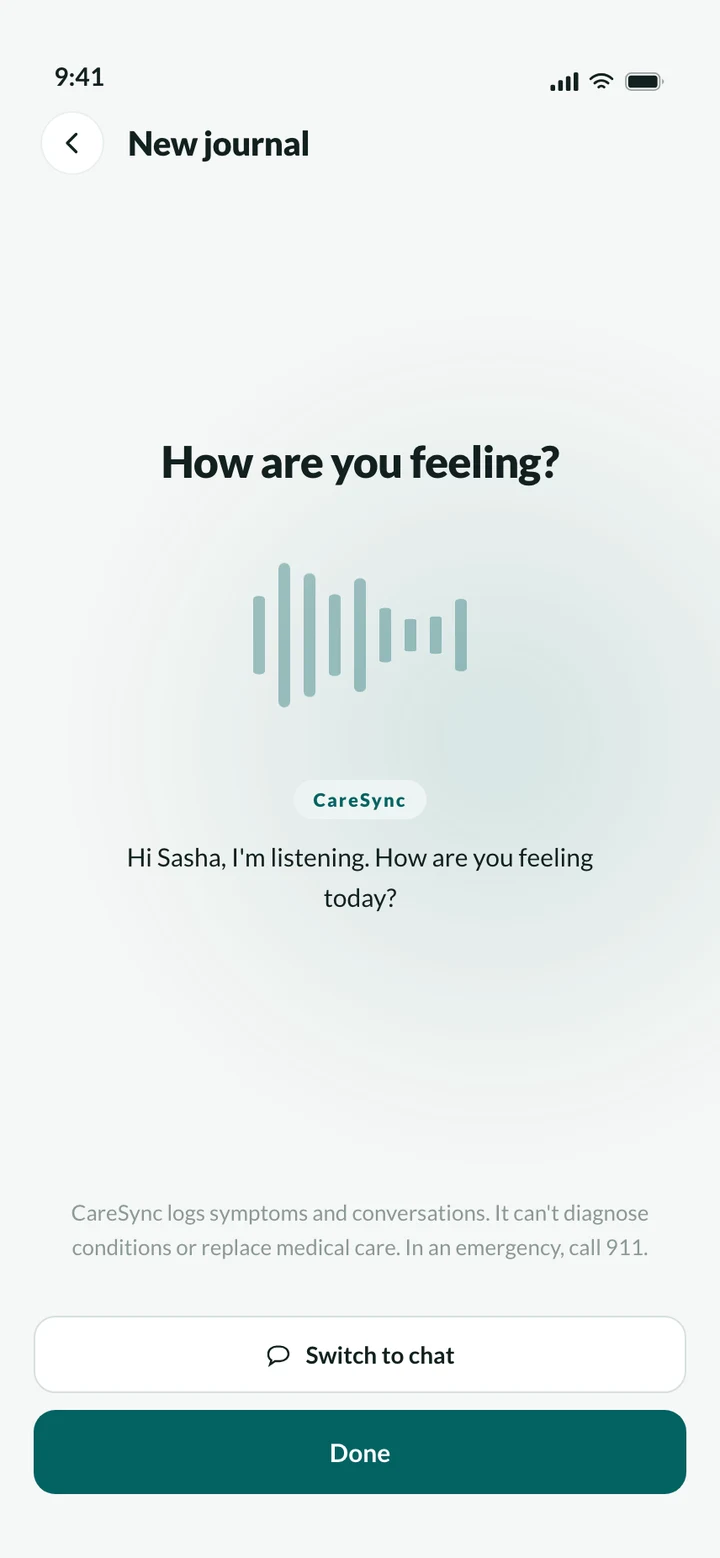
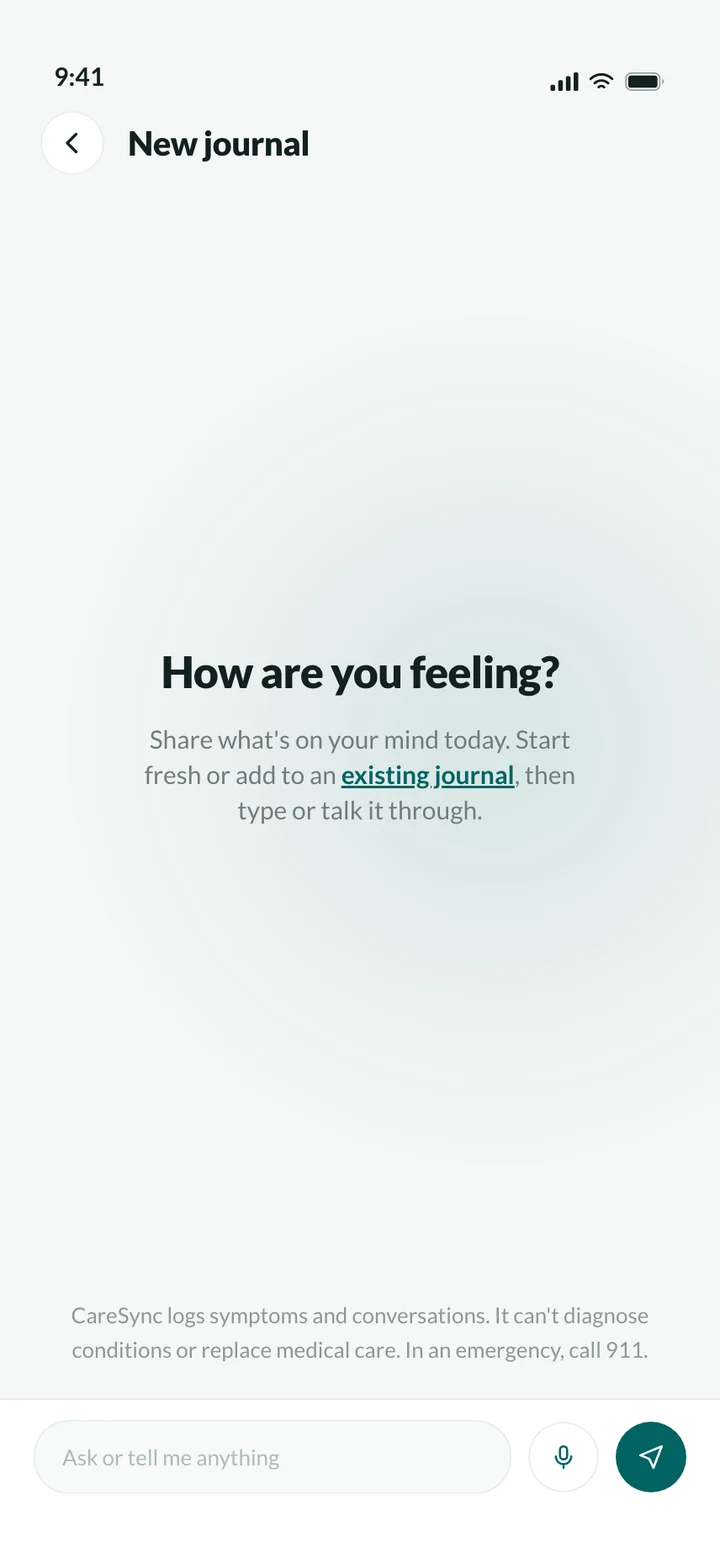
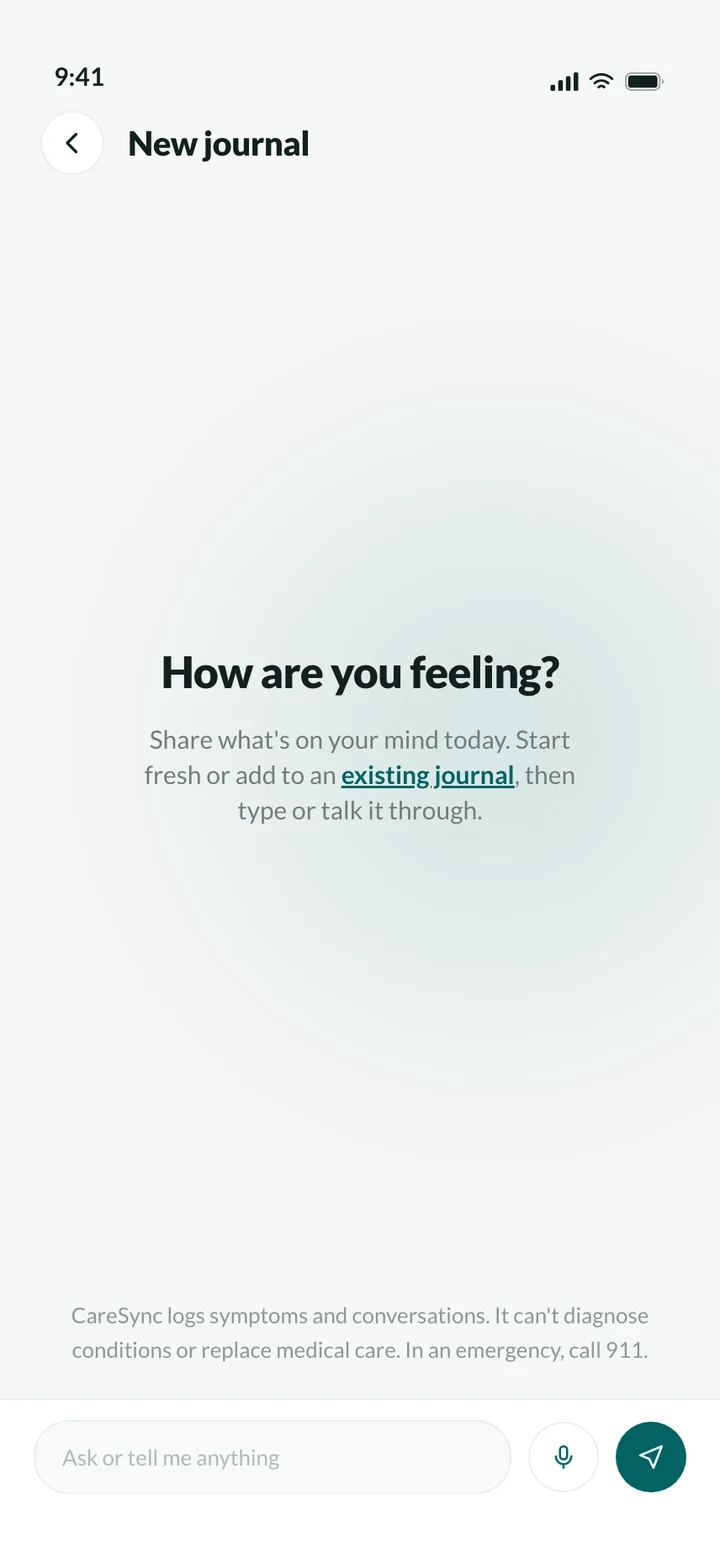
Symptoms don't wait for a quiet moment with a keyboard. The CareSync button sits in the center of the nav so it's one tap from anywhere, and it switches between a pencil and a mic depending on how you want to record. If you talk, CareSync asks a few follow-up questions and files everything in the background.
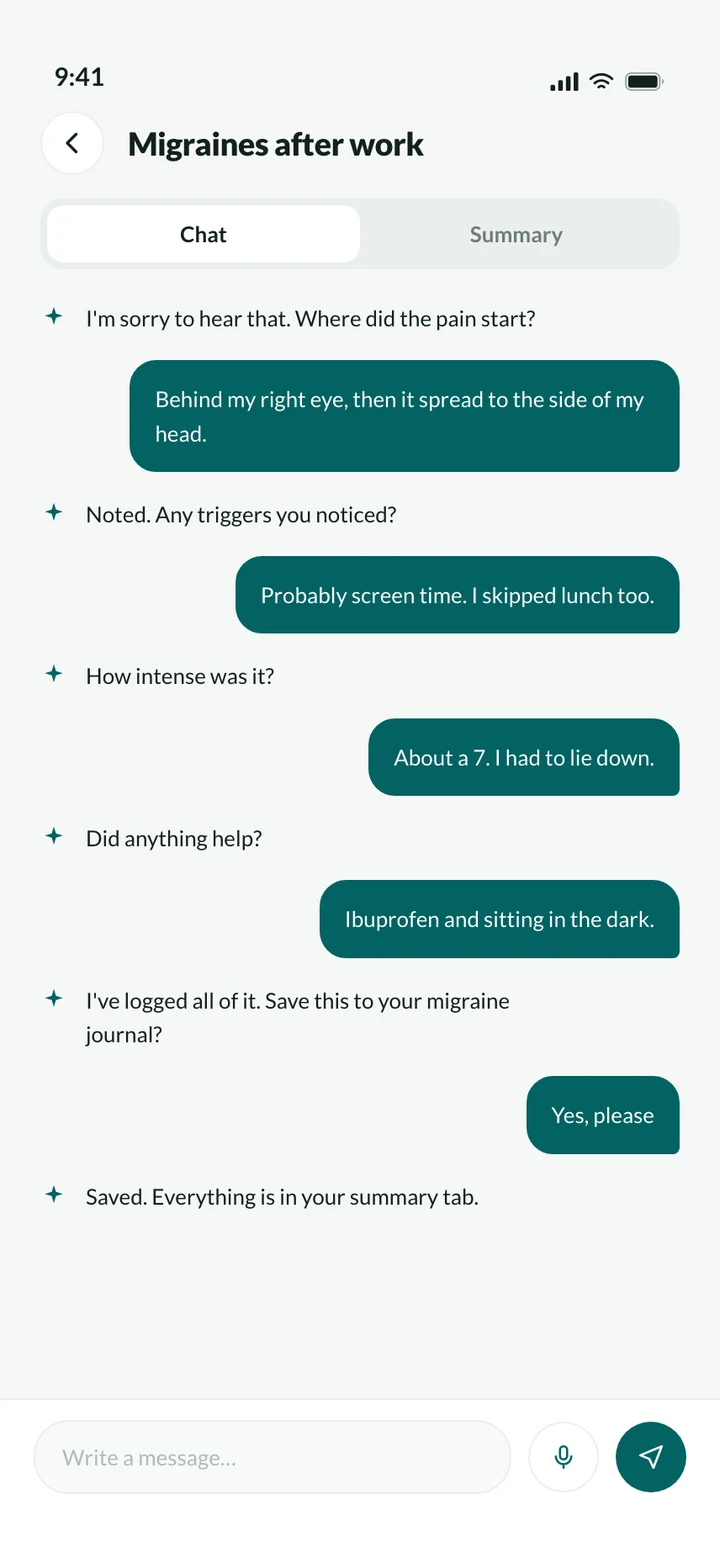
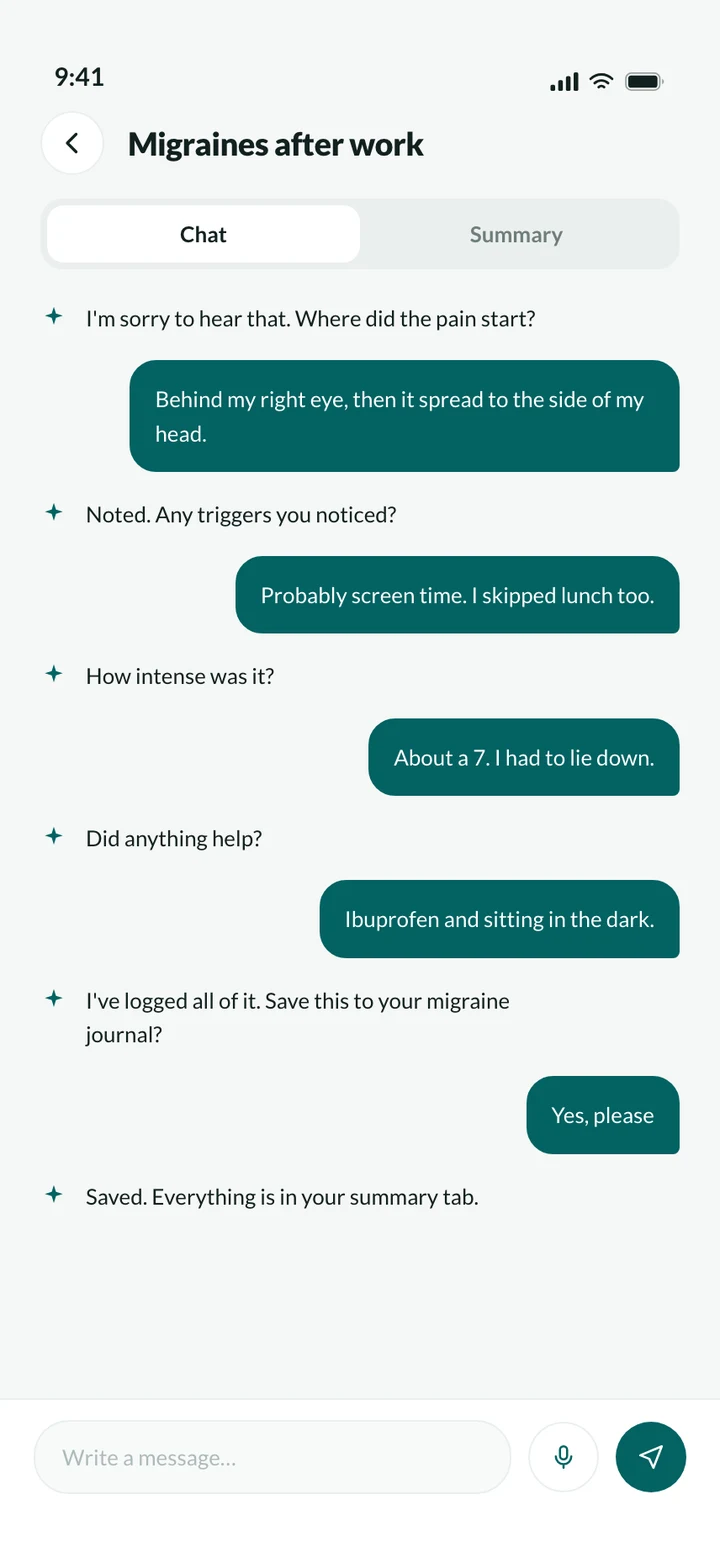
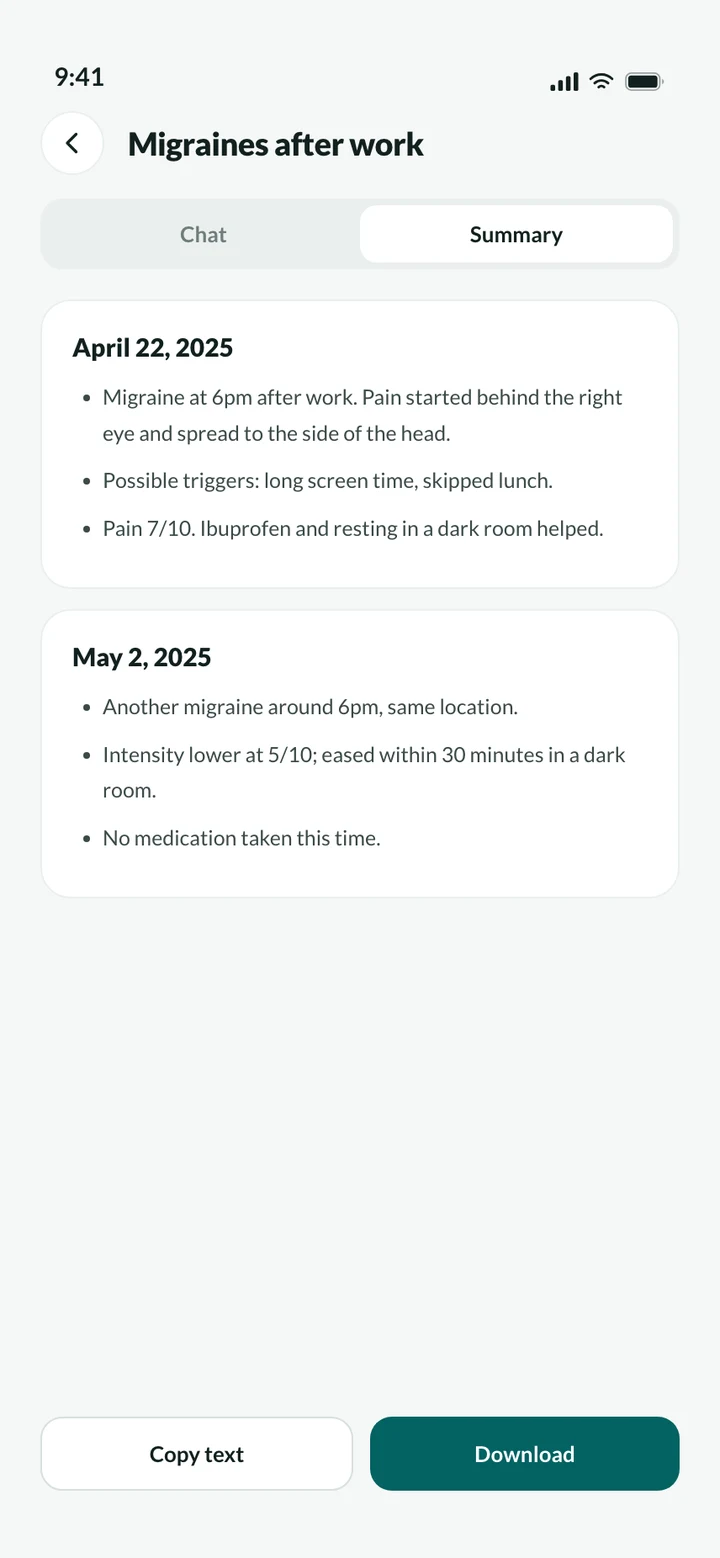
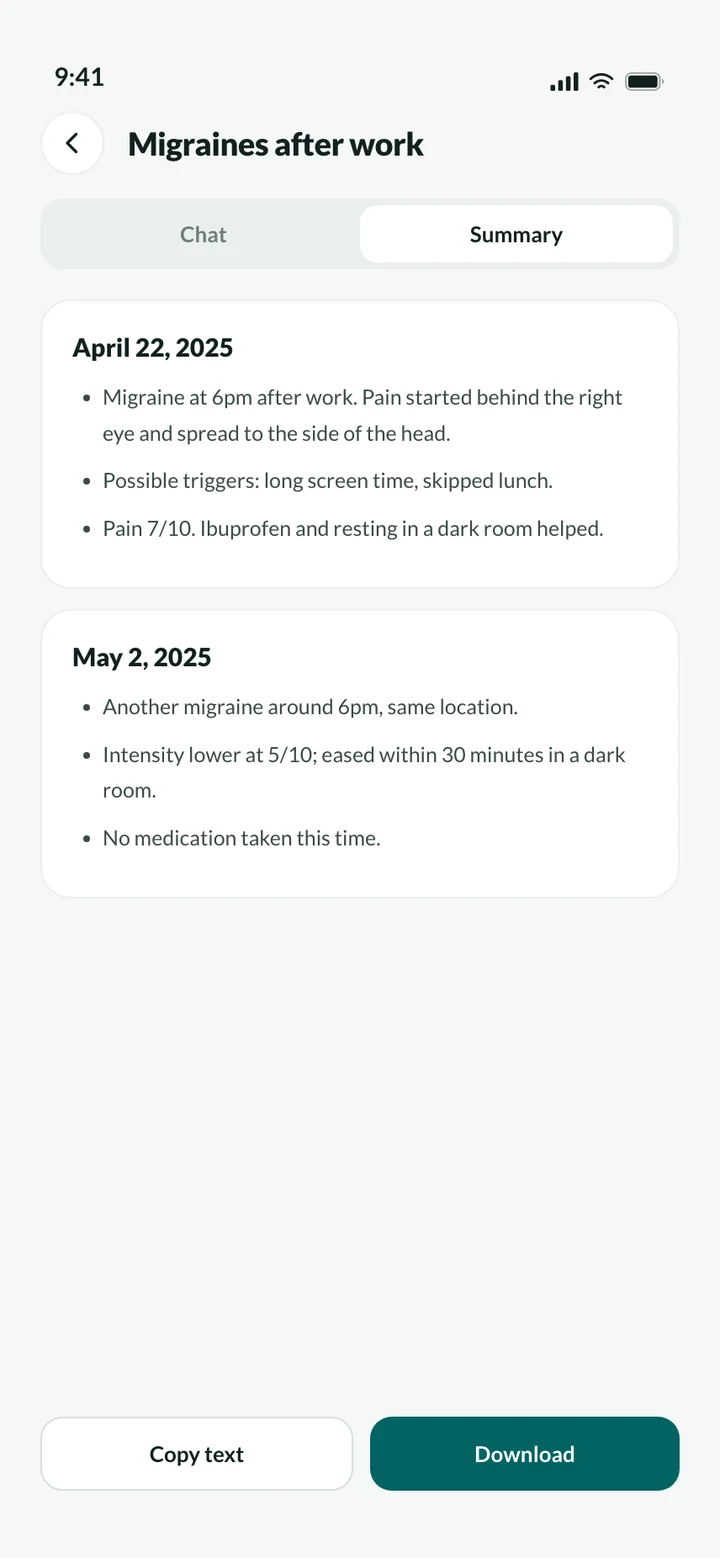
The chat is where you think out loud. The summary is what you bring to the appointment. Every conversation has a toggle between the two, and the summary is broken down by date and time so you can see when things happened. Copy or download it in one tap.
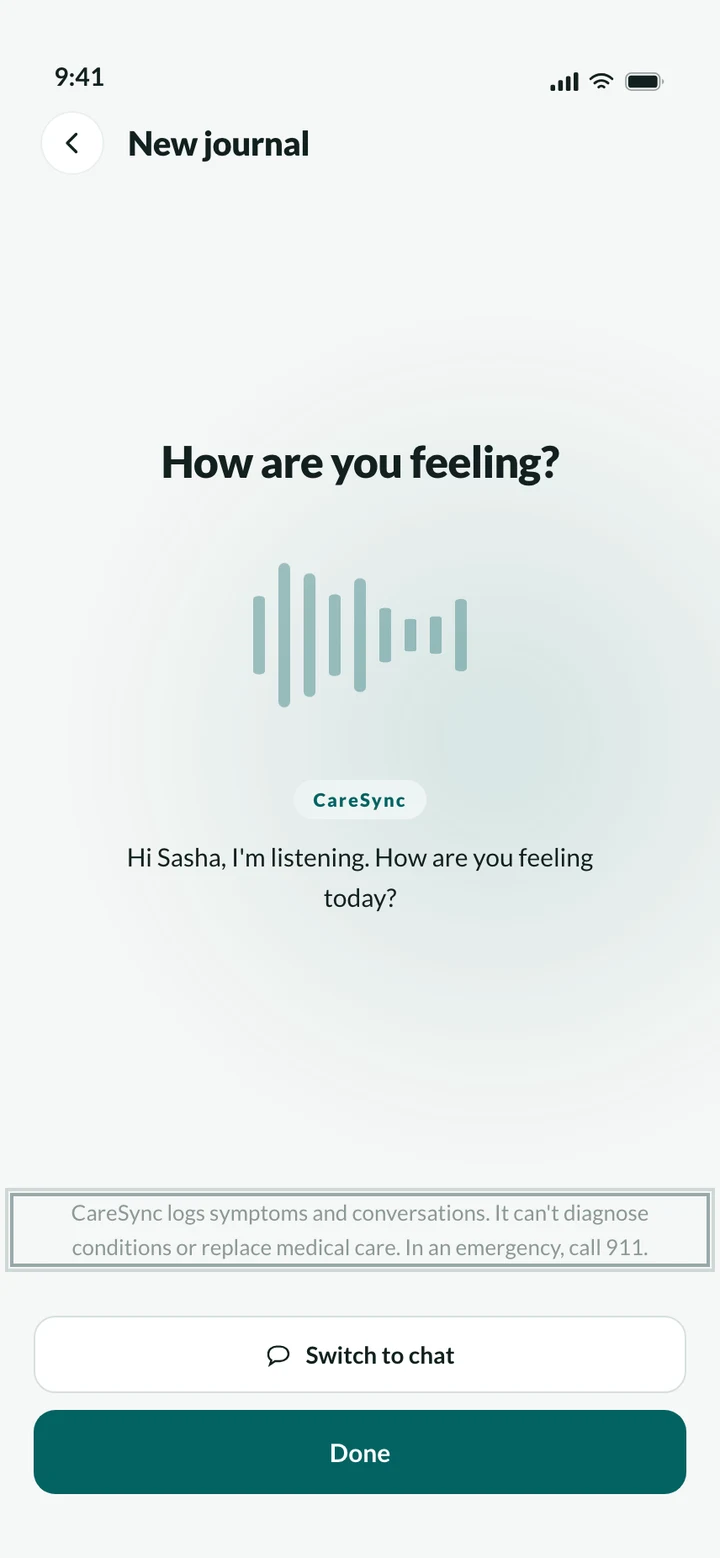
Testing showed that any vagueness about what the AI does makes people pull back. So CareSync says plainly that it's AI-generated, calls itself a space for clarity and not a diagnosis tool, and the messaging screen leads with a reminder to call 911 in an emergency. The AI helps you describe. Your doctor decides.
OUTCOME
I tested the lo-fi flows with a patient managing PCOS and redesigned the entry point, the journal list and the AI disclosures based on what came up. The result is a system where describing what you feel and preparing for a doctor happen in the same place.
Changed after testing
The CareSync button sits in the center of the nav, one tap from anywhere.
One journal per issue. Open an old one or start fresh.
CareSync says plainly that it's AI-generated and not a diagnosis tool.
What I'd do next
Test the hi-fi flow with three to five more patients, including someone who has never used an AI tool.
Design what a doctor actually sees when a patient shares a summary.
Work through the failure cases: what CareSync says when it can't make sense of an entry, and how it handles a possible emergency mid-conversation.
Constraints
One connected flow, from symptoms to summaries to appointments, takes more off a patient's plate than any single feature could.